Approve every fax from Antigravity CLI
Updated
By default Antigravity CLI sends inside your organization's limits with no approval per fax. When you want a person to approve every fax, an owner turns off the Connected apps switch in Settings. This guide shows what Antigravity does then: it quotes, it asks a person, the person approves, and only then does it send. It was recorded in Sandbox mode with the switch turned off, so nothing reached a real fax line.
Before you start
- A Fax for Agents account. The dashboard is at app.faxforagents.com.
- Antigravity CLI (the
agycommand) with the Fax for Agents tool server connected. Runagy mcp add faxforagents "https://mcp.faxforagents.com/mcp/?auth=required", then startagy, type/mcp, choose faxforagents and Authenticate. - In Settings, Connected apps, an owner has turned off "Let connected apps send without asking" and chosen Save. The switch is on by default.
- For the approver: the
ffacommand line with an API key of your organization that carries approval:decide. The dashboard Approvals page works too.
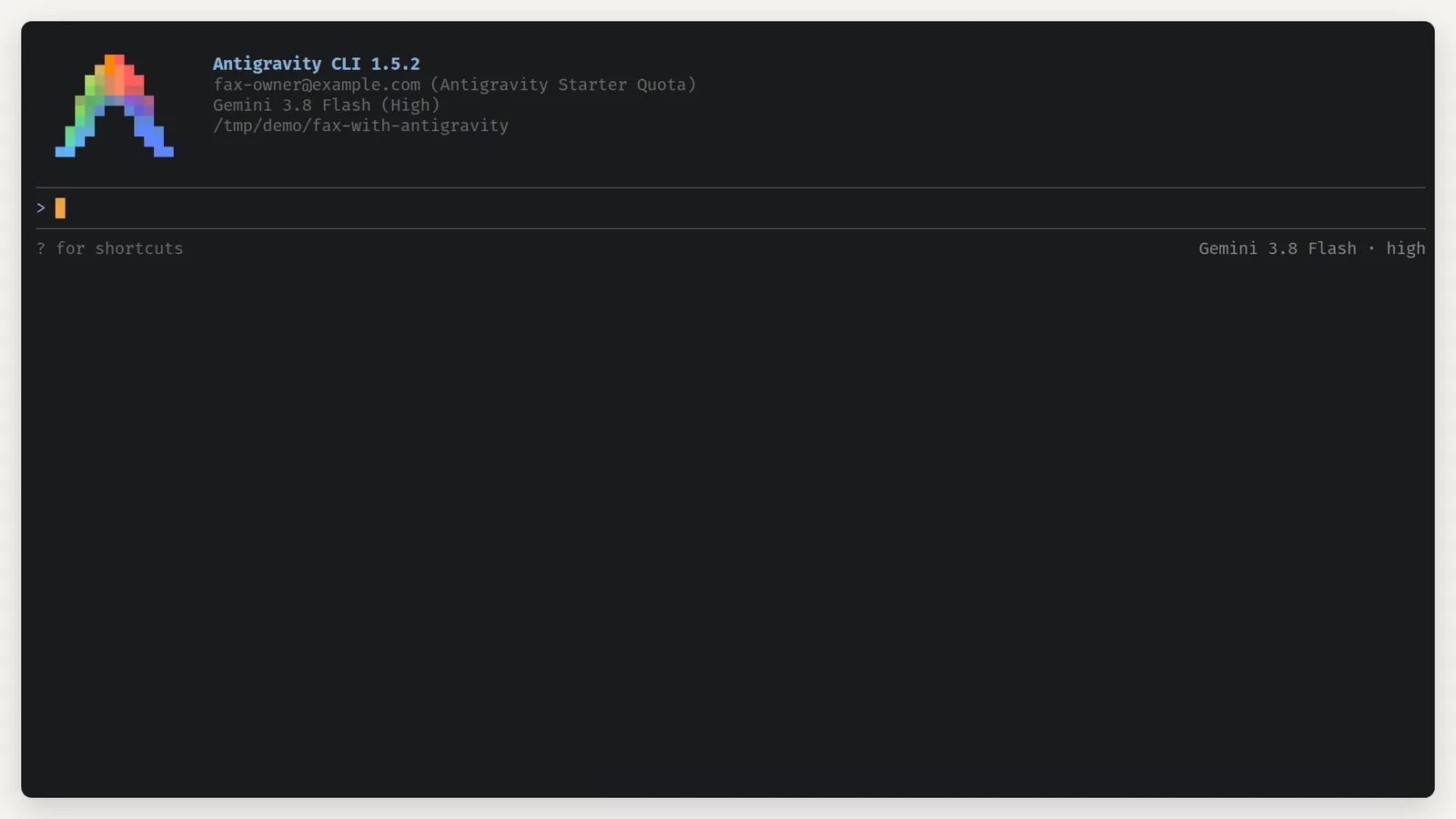
1.Open Antigravity CLI
Open Antigravity CLI in the folder you work in. The tool server is already connected.
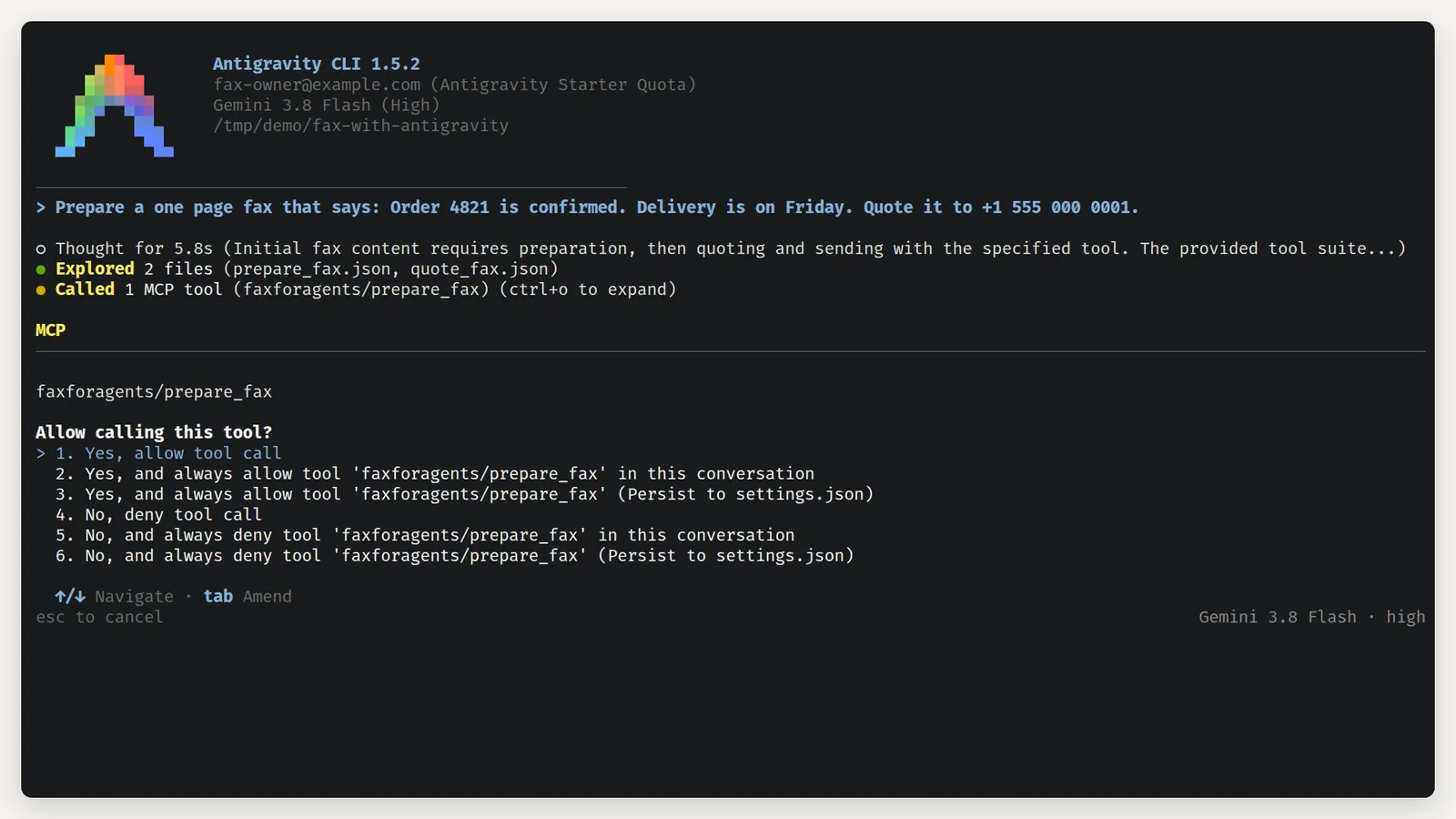
2.Allow the fax tool
Type what the fax should say and where it goes, and ask for a quote. Antigravity asks once before it runs a tool.
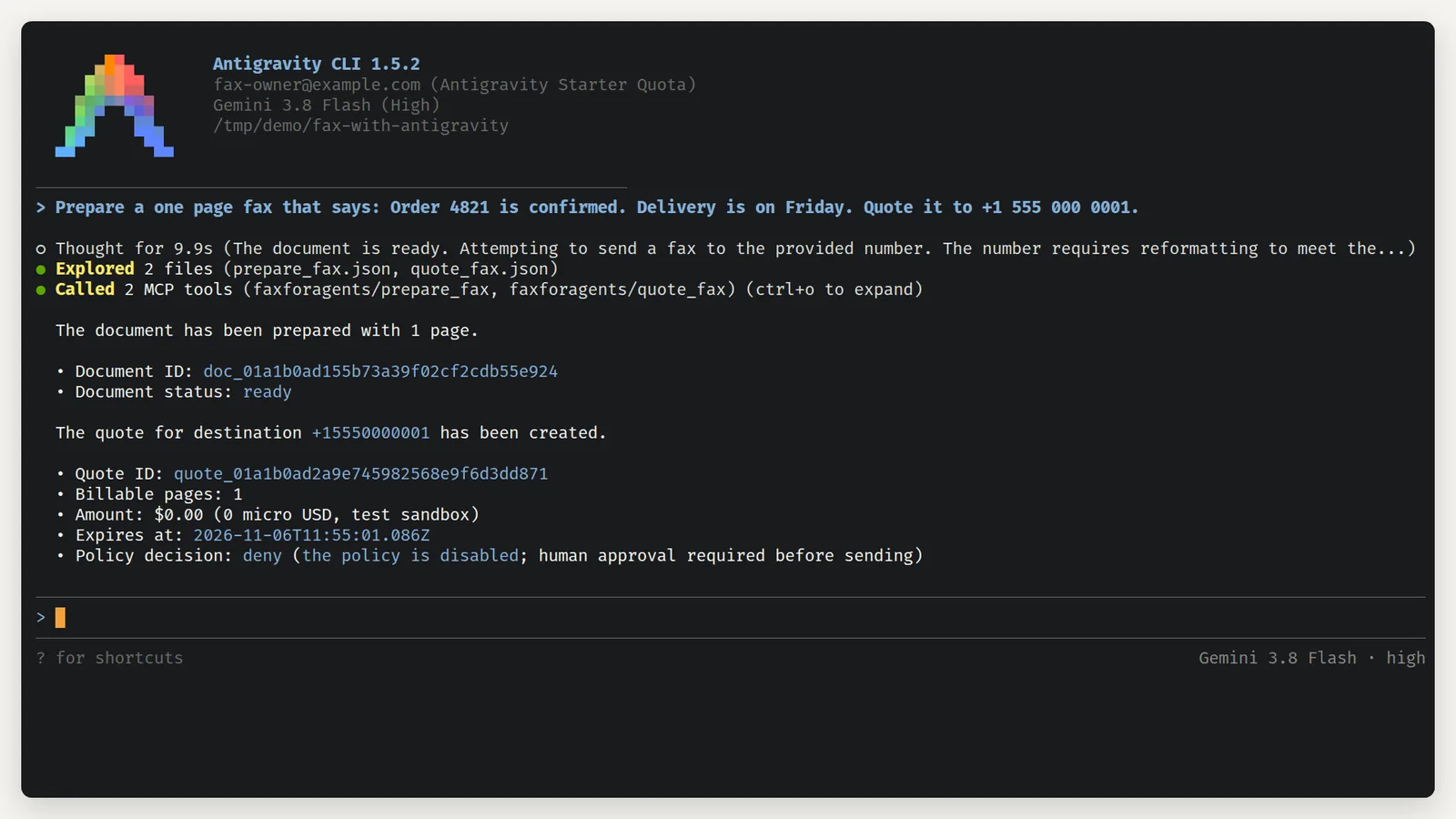
3.Read the quote
Antigravity prepares the page and asks for a quote. Nothing is sent yet.
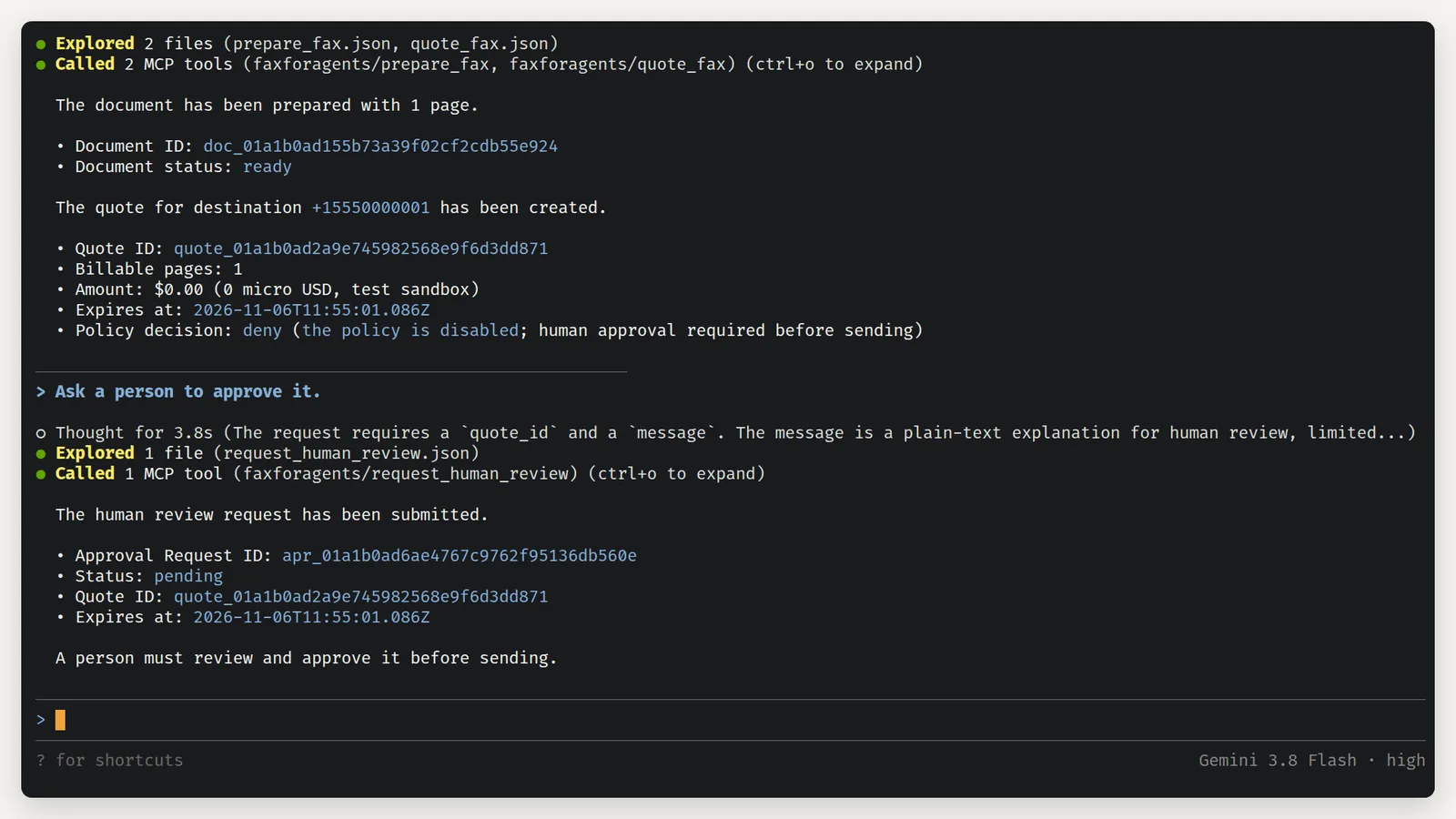
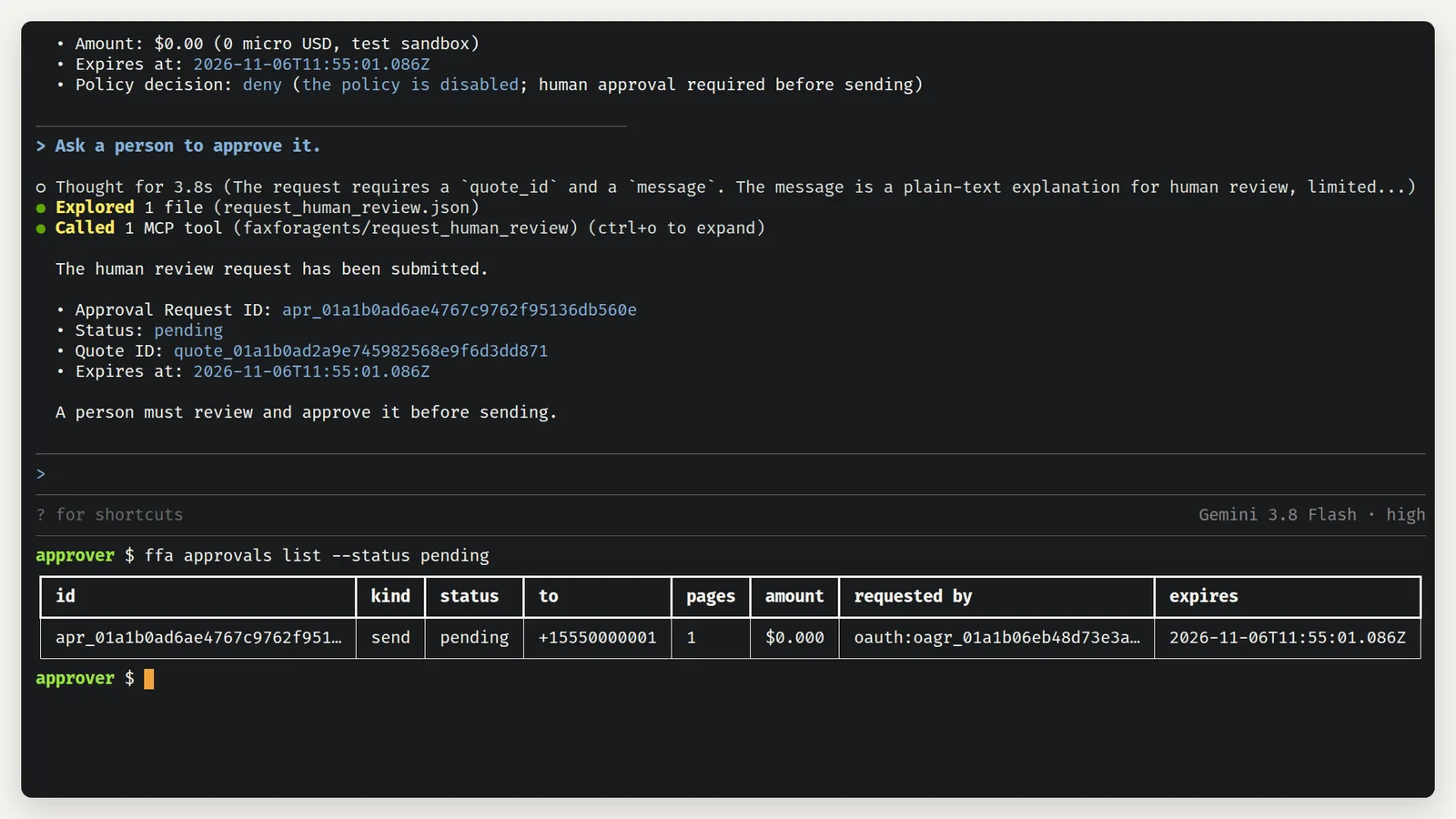
4.Ask a person
Say "Ask a person to approve it."
5.List pending requests
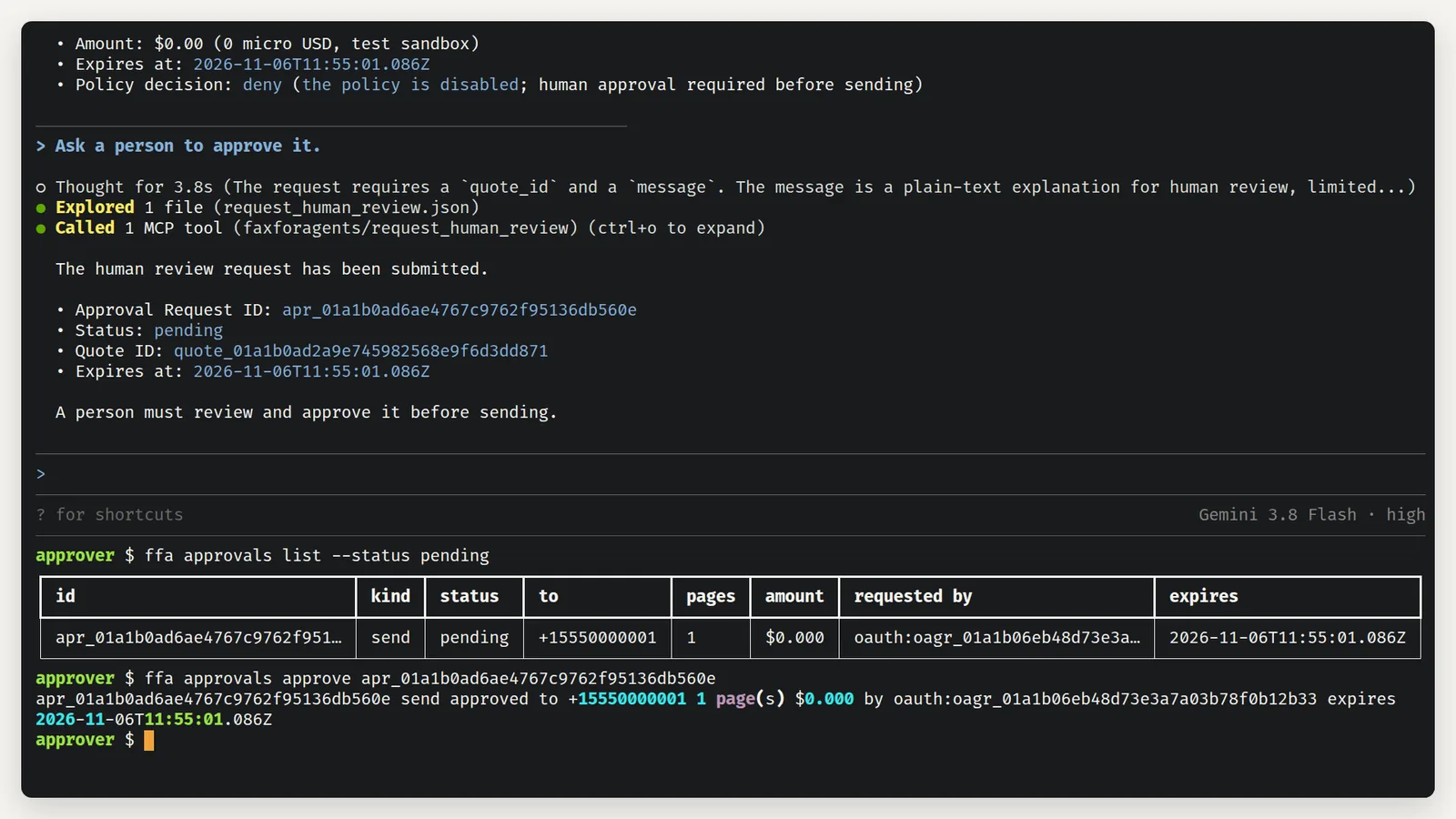
A person on the team opens their own shell.
6.Approve the request
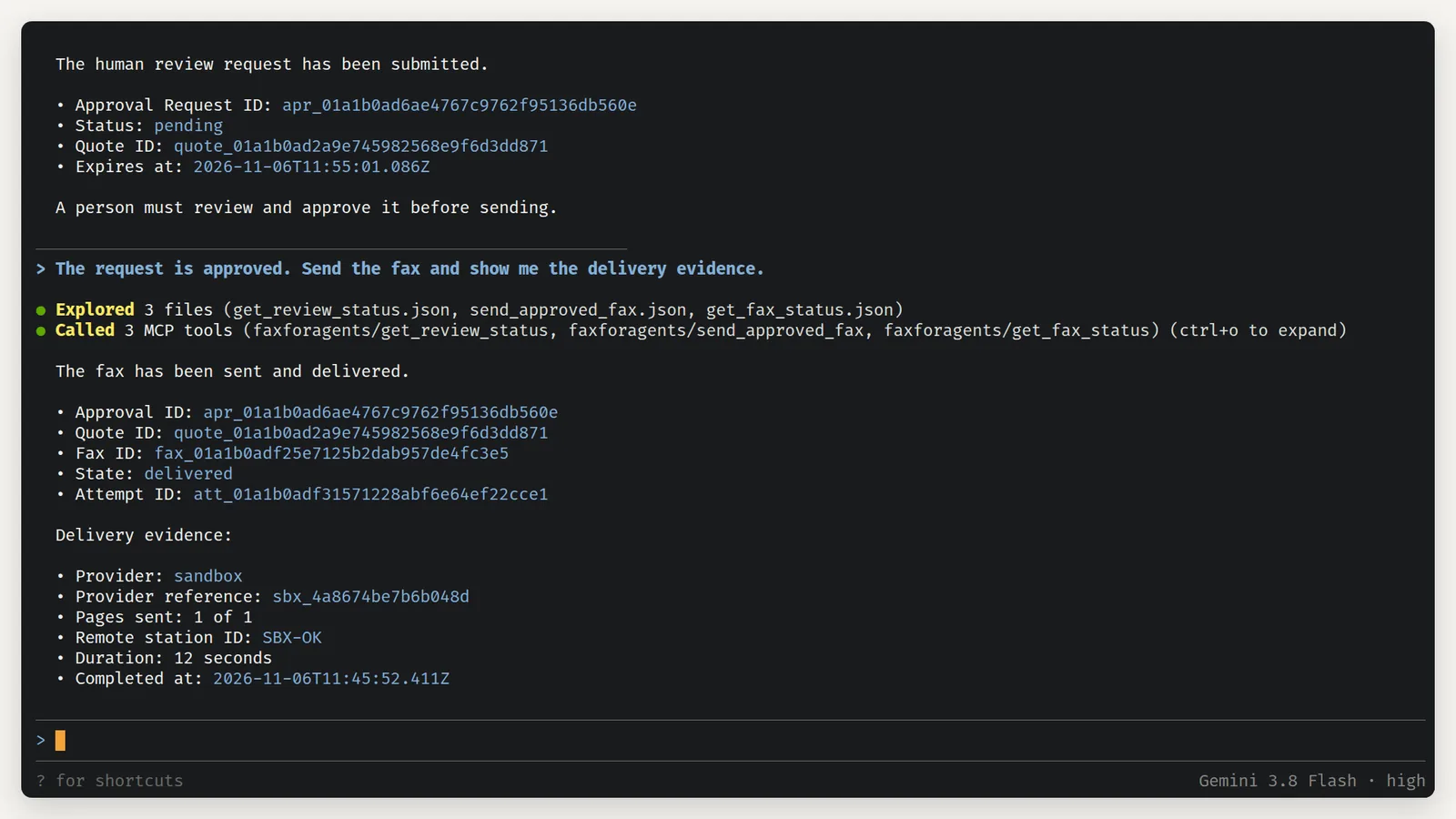
7.Send with the approval
Back in Antigravity, tell it the request is approved.
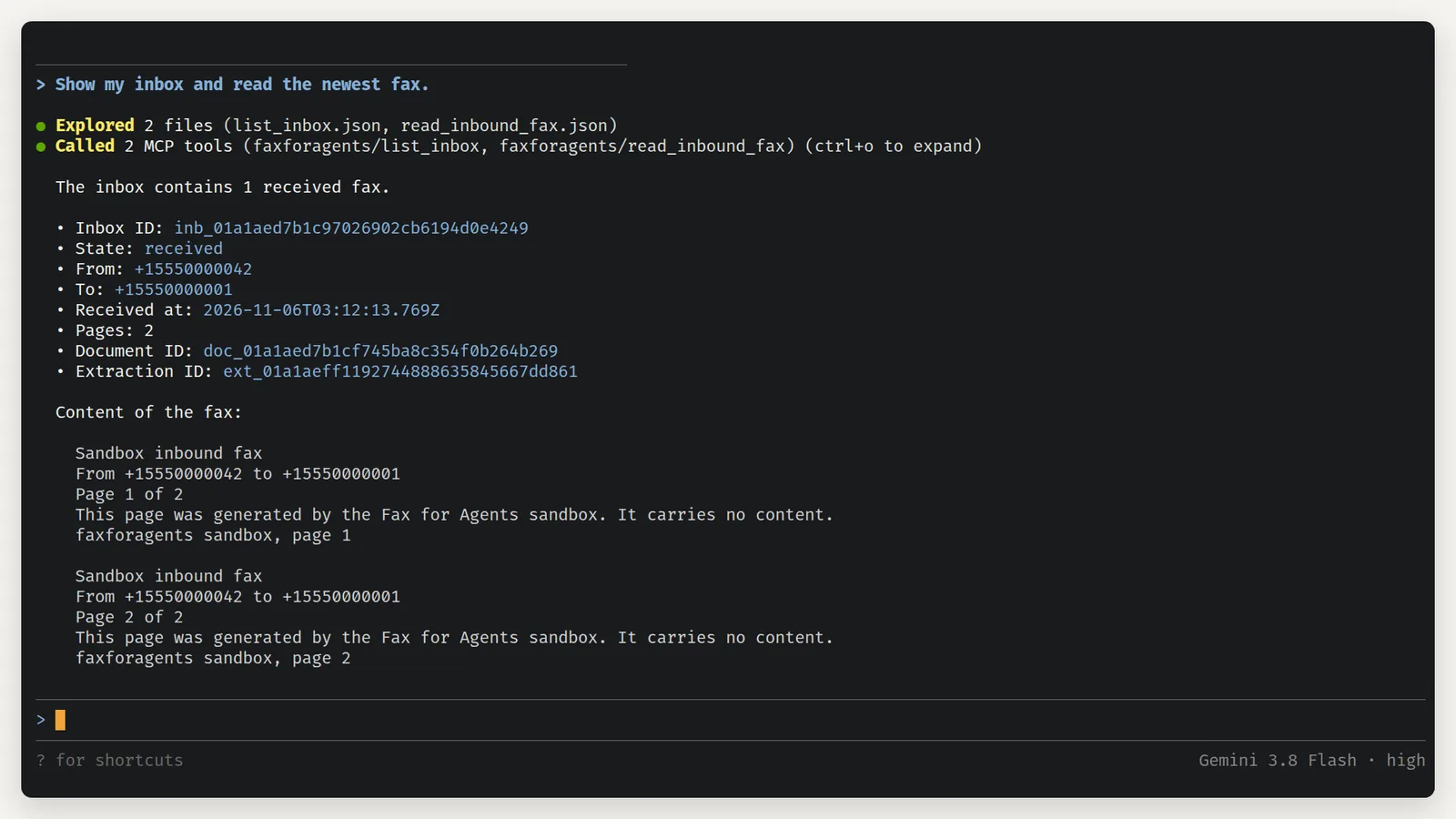
8.Read the inbox
Received faxes work the same way. Ask for your inbox.
What the limits mean
Open Settings in the dashboard. The Connected apps card holds the switch "Let connected apps send without asking". Under it are two fields, "Amount per fax, at most" ($5.00) and "Faxes per day" (20). With the switch on, apps like Antigravity CLI send inside these limits with no approval per fax. With the switch off, every send waits for a person, as in this guide. See Your assistant sends within limits by default.
Send within limits instead
- In Settings, turn on "Let connected apps send without asking" and choose Save.
- Ask Antigravity to send the fax. The quote says allow and the send goes through at once.
- Check the delivery evidence the same way.
The plain routine is in Send a fax from Antigravity CLI.
Troubleshooting
- The quote says allow although you expect approval. The Connected apps switch is on for this environment. Check Settings, Connected apps, and the environment chip in the top bar.
- Antigravity asks "Allow calling this tool?" before each new tool. That is Antigravity's own permission prompt. Choose "Yes, allow tool call", or the "always allow tool" option for this conversation.
ffa approvals approveis refused with a scope error. The approver's API key is missing approval:decide. An owner creates one on the API keys page.- The approval request expired before the send. Approvals expire with their quote. Ask Antigravity to quote again, then ask a person again.