AI client approval matrix
Updated
Eight AI clients and what each does before it calls a tool on a remote MCP server. When it asks, whether it keeps an allow-list, whether it sends an API key header, and where you change it. Every cell links the client's own documentation, read on . We recheck it monthly.
The matrix
A row says what the documentation says, plus what our screenshot guides recorded in that client. Where we quote a prompt, the words are the client's own.
| Client | When it asks | Allow-list | API key header | Where the setting lives | Checked |
|---|---|---|---|---|---|
| ChatGPT | For write actions, ChatGPT may ask, based on the app permissions and the action's context. In our recording the first call asked, and Always allow stopped the prompts for that plugin. Docs: help.openai.com | Enterprise and Edu admins choose which actions an app can take. New actions start turned off. Docs: help.openai.com | No. OpenAI says ChatGPT cannot present custom API keys to a server. Docs: developers.openai.com | Plugins, then + and Add custom MCP server. Admins: Workspace settings, Apps, Action control. Write actions need Business, Enterprise or Edu. Docs: help.openai.com | |
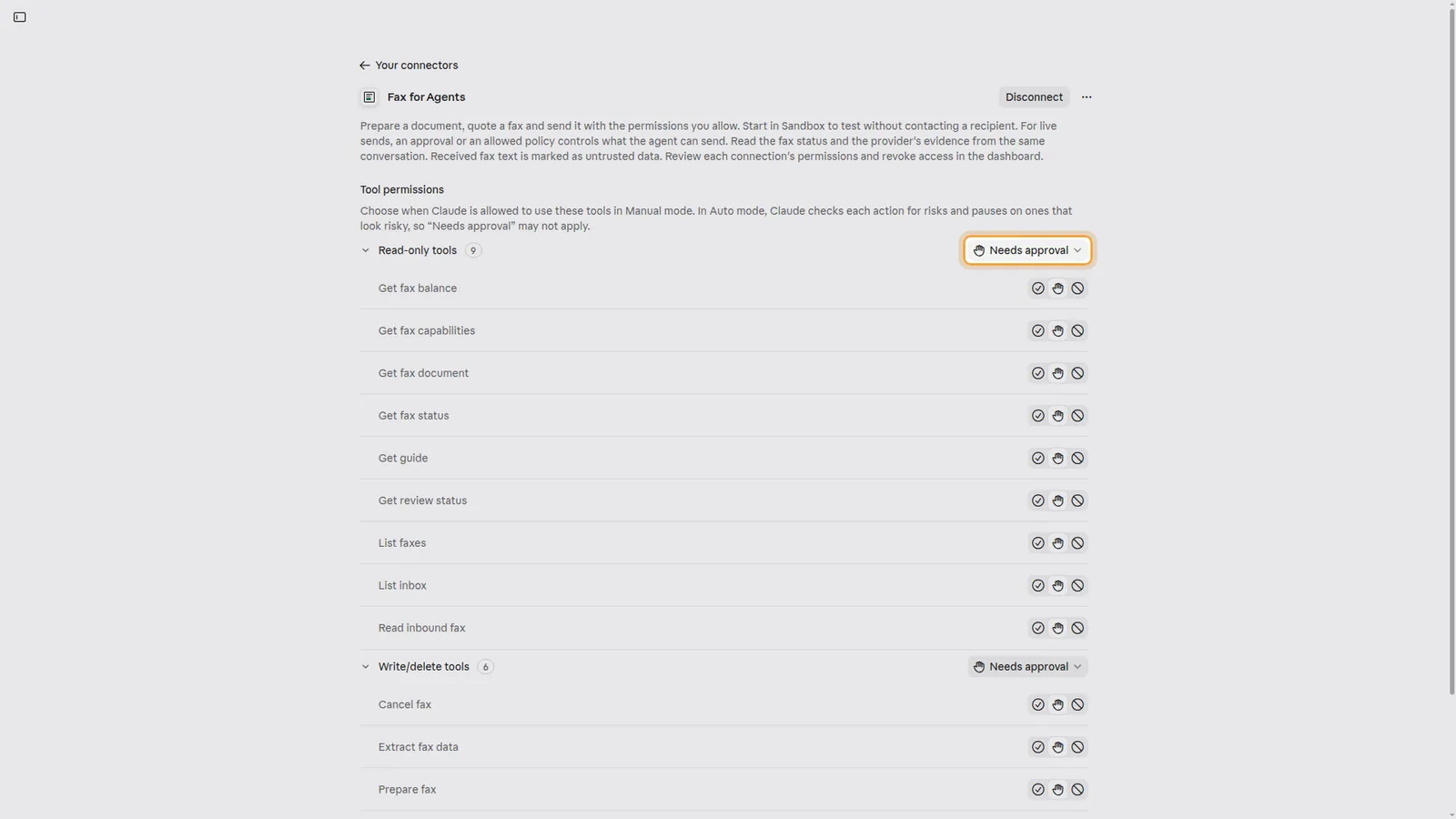
| Claude | Per tool: Always allow, Needs approval or Blocked. In our recording the chat card offered Decline, Allow once and Always allow. Docs: support.claude.com | Yes. Set each tool, or each group such as read-only tools, on the connector page. Docs: support.claude.com | Yes, under Request headers. Anthropic marks it beta, for a limited set of organizations. Docs: claude.com | Customize, Connectors, then the connector and Tool permissions. Docs: support.claude.com | |
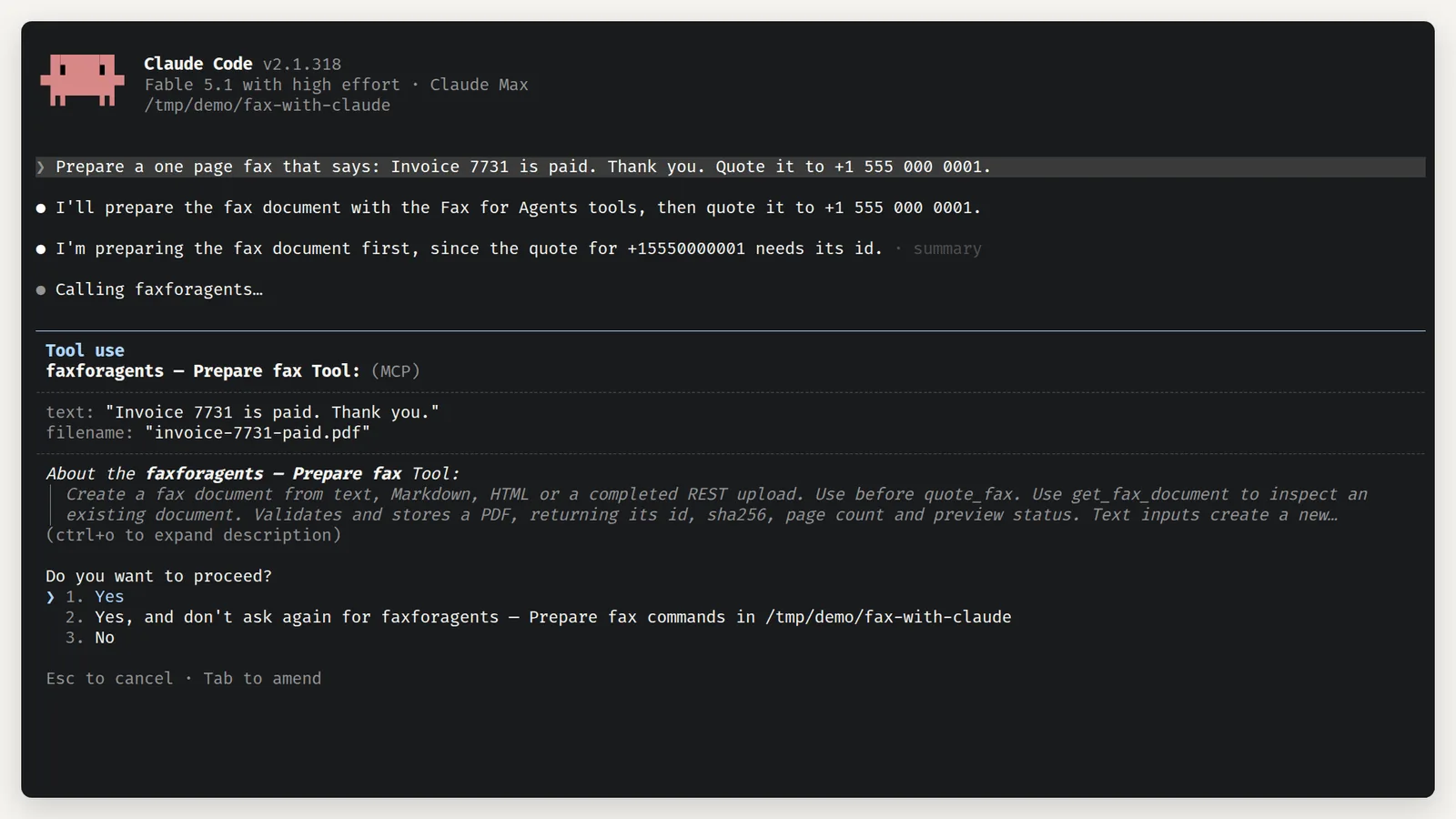
| Claude Code | Before a tool runs. In our recording, "Yes, and don't ask again" covered that tool in that folder. A server can mark a tool to ask on every call. Docs: code.claude.com | Yes. Allow, ask and deny rules, such as mcp__server__* for every tool on one server. Docs: code.claude.com | Yes, with --header on claude mcp add, or headers in the server entry. Docs: code.claude.com | The /permissions command, or permissions in a settings file. Servers: claude mcp add. Docs: code.claude.com | |
| Codex | Per server or per tool: auto, prompt, writes or approve. writes prompts for tools not marked read-only. Docs: learn.chatgpt.com | Yes. enabled_tools and disabled_tools on each server. Docs: learn.chatgpt.com | Yes: http_headers, env_http_headers or bearer_token_env_var. Docs: learn.chatgpt.com | A [mcp_servers.faxforagents] table in ~/.codex/config.toml. The CLI, the IDE extension and the ChatGPT desktop app share it. Docs: learn.chatgpt.com | |
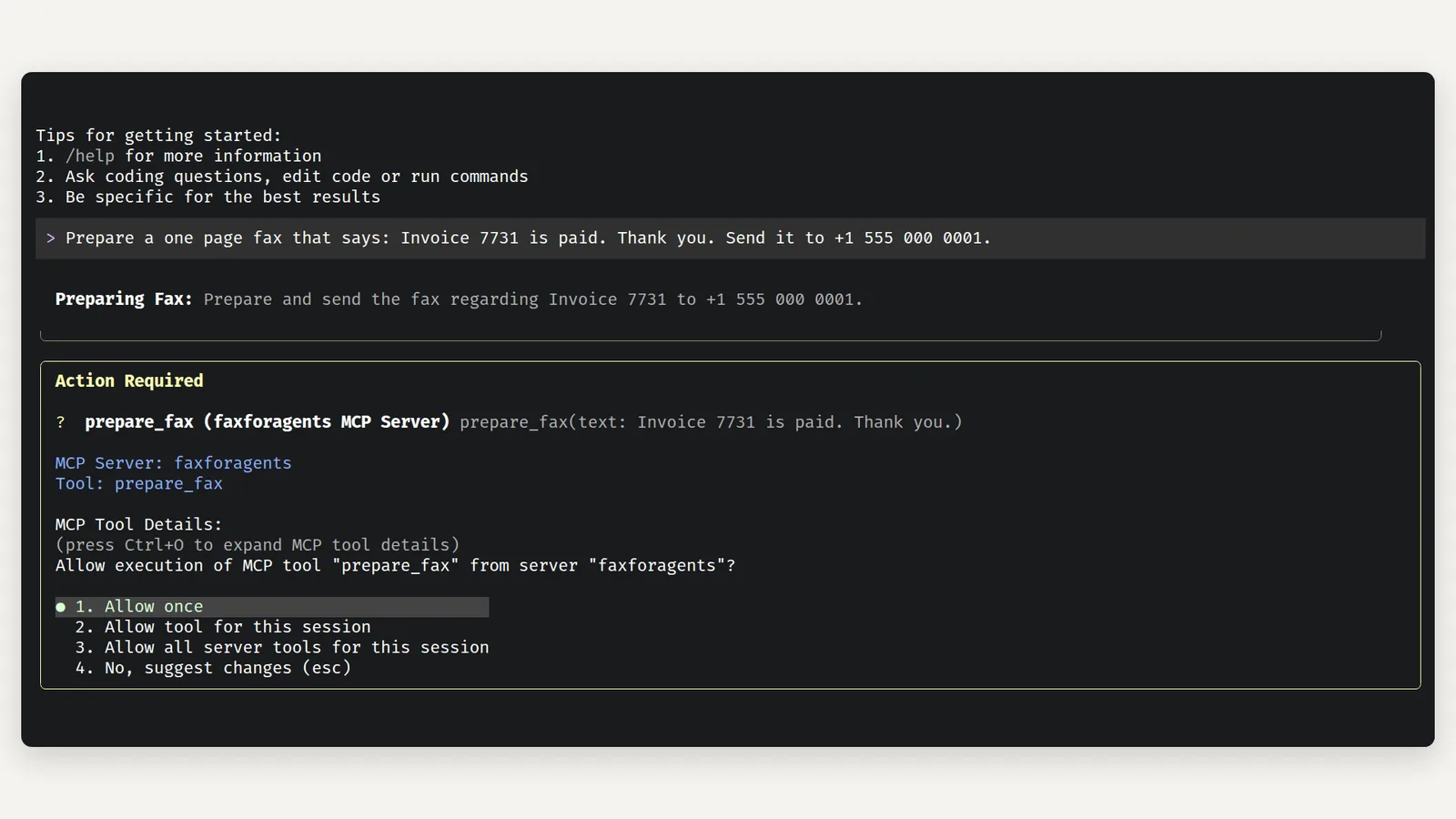
| Gemini CLI | Before a tool runs, unless the server is trusted. Our recording offered Allow once, Allow tool for this session and Allow all server tools for this session. Docs: github.com | Yes. includeTools and excludeTools per server. trust: true skips every prompt for that server. Docs: github.com | Yes, headers in the server entry, or --header on gemini mcp add. Docs: github.com | mcpServers in settings.json. An extension can add the server for you. Docs: github.com | |
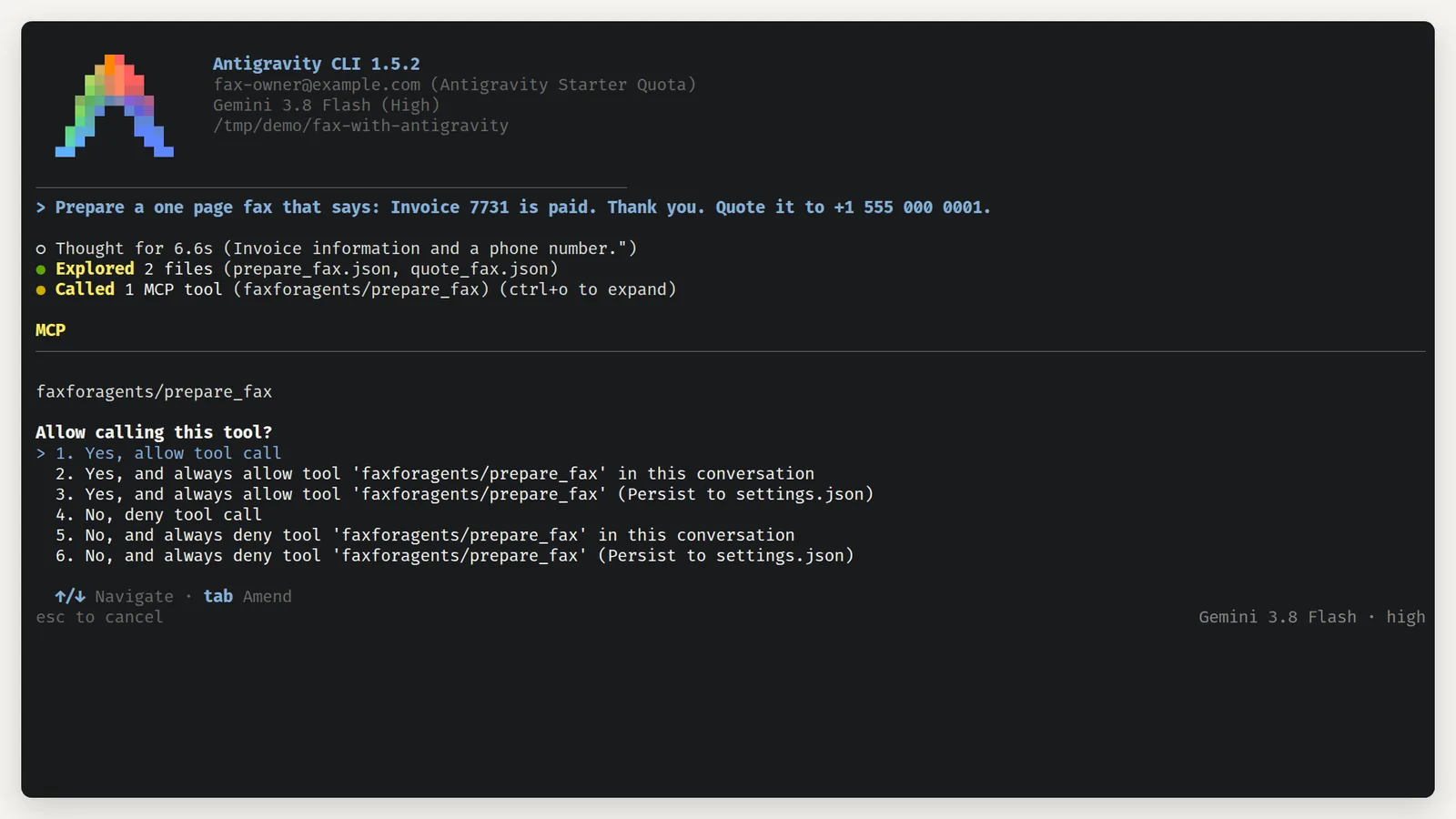
| Antigravity CLI | Every MCP tool is Ask by default. Our recording offered once, always in this conversation, or always, saved to settings.json. Docs: antigravity.google | Yes. Allow rules for one tool or a whole server, such as mcp(server/*). Docs: antigravity.google | Yes, headers in the server entry. Docs: antigravity.google | Servers: ~/.gemini/config/mcp_config.json, or .agents/mcp_config.json in a workspace. Rules and presets: permission settings. Docs: antigravity.google | |
| Mistral Le Chat | Before a function runs, unless Always allow is on for it. In our recording read-only tools were already set to Allow, and the card offered Allow once, Always allow for this chat and Reject. Docs: docs.mistral.ai | Yes. Each user turns on Always allow per function. Docs: docs.mistral.ai | In the Authorization header, as a bearer token or basic auth. Docs: docs.mistral.ai | Connectors, My Connectors, the connector, then Functions. Only an administrator adds a connector. Mistral files these docs under Work. Docs: docs.mistral.ai | |
| Hermes Agent | A server with trust: full does not ask, unless a call would pass its spend limit. With trust: untrusted, every write-capable call asks. Our recording saw no prompt. Docs: hermes-agent.nousresearch.com | Yes. tools.include and tools.exclude per server. Docs: hermes-agent.nousresearch.com | Yes, headers in the server entry. Docs: hermes-agent.nousresearch.com | mcp_servers in ~/.hermes/config.yaml. /yolo turns the prompts off for one chat. Docs: hermes-agent.nousresearch.com |
The client name links our guide for it. Codex has no screenshot guide yet, so its name links the MCP setup page.
What the prompts look like
These screenshots come from our guides, each recorded while sending a sandbox fax. Labels change between versions, so the date of each recording is under it.
The client's prompt and a fax approval are separate
Allowing a tool in the client only lets the assistant call it. Whether a fax goes out is decided by the Fax for Agents server, every time.
By default a connected app sends inside $5.00 per fax and 20 faxes a day, with no approval per fax. That setting can be turned off. Then every send waits for a person to approve it in the dashboard. An approval covers one document, one number, one sender and one amount, so a client's "Always allow" cannot widen it.
To have a person approve every fax, turn the switch off. The approval guides show it for ChatGPT, Claude, Claude Code, Gemini CLI and Antigravity CLI.
How we check it
Once a month we open every linked page again and compare it with the row. A cell changes only when the client's documentation or a new recording shows the change. The Checked column then gets the new date.
Clients we have not checked are left out. A row describes the client as documented on its date. Your plan, your organization's admin settings or a newer version can behave differently.